


Quick Answer
Marvel Rivals high ping usually comes from server region mismatch, router congestion, background bandwidth hogs, or unoptimized in-game network settings. Switching servers, using a wired connection, and adjusting your router’s QoS settings fixes most cases within minutes — no new hardware required.
Your aim was perfect. Your combo landed. And then — rubber-banding, a delayed hit registration, and a death you shouldn’t have taken. If that sounds familiar, you already know what marvel rivals high ping does to a match.
This isn’t a rare glitch. Thousands of players hit the same wall every week, and most of them fix nothing because they’re chasing the wrong cause. Some blame their internet plan. Others blame the game servers. The real answer is usually smaller — and much easier to fix — than people assume.
In this guide, you’ll learn exactly why ping spikes happen in Marvel Rivals, how the game’s netcode actually handles your connection, the mistakes that make lag worse, and the step-by-step fixes competitive players use to stay smooth in ranked matches. By the end, you’ll know precisely where to look the next time your ping bar turns red.
What Is Marvel Rivals High Ping and Why It Matters Today
Ping measures the time it takes for data to travel from your device to the game server and back, shown in milliseconds. Under 50ms feels instant. Above 100ms, you’ll notice delays in shooting, dashing, and blocking.
Marvel Rivals is a fast, hero-shooter-style game where timing decides fights. A hero like Spider-Man or Iron Fist relies on split-second dashes — if your ping spikes even briefly, those inputs arrive late, and the server registers you a step behind where you actually are.
Here’s what nobody tells you: ping isn’t just about your Wi-Fi speed. A 500 Mbps connection can still produce high ping if the route to the server is congested, even for a second. Speed and latency are different things, and confusing them is why so many players “upgrade internet” and see zero improvement.
How Marvel Rivals Ping Actually Works Behind the Scenes
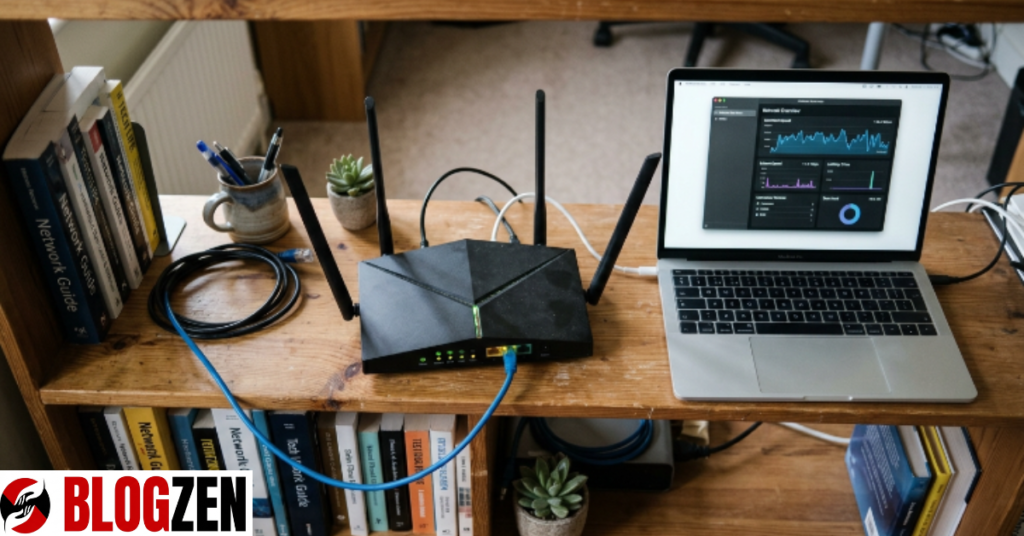
Every action you take — a jump, a shot, an ability — gets sent as a data packet to NetEase’s game servers, processed, then sent back to update your screen. This full round trip is your ping.
Marvel Rivals uses region-based matchmaking, meaning you’re placed on servers closest to your detected location. If your ISP routes your traffic inefficiently (common with smaller ISPs), your packets can hop through extra network nodes before reaching that server — adding real, measurable delay.
There’s also packet loss to consider, which is different from ping but often confused with it. Ping tells you how slow your connection is; packet loss tells you how much data never arrives at all. A player with 60ms ping but 3% packet loss will feel worse than someone with 90ms ping and zero packet loss.
Pro Tip: Run a traceroute (tracert on Windows, traceroute on Mac) to the game server IP. If you see a huge latency jump at one specific hop, that’s your ISP’s routing problem — not the game’s.
Common Mistakes Players Make With High Ping
Most players fix the wrong thing first, which wastes time and doesn’t touch the real issue.
- Blaming Wi-Fi speed instead of checking latency and jitter separately
- Ignoring background apps (cloud backups, game launchers, streaming) silently eating bandwidth
- Never switching server region manually, even when auto-select picks a distant one
The truth is, one overlooked background download can spike your ping by 100ms or more mid-match. That single detail explains more lag complaints than actual server-side issues.
Another mistake: assuming a VPN always helps. Sometimes it does, by finding a cleaner route to the server. Other times it adds an extra hop and makes things worse. Test it — don’t assume it.
Expert Tips and Proven Strategies to Reduce Ping
Here’s what actually moves the needle, based on what competitive players consistently report.
- Use a wired Ethernet connection instead of Wi-Fi — this alone removes a huge source of jitter
- Manually select the closest server region in Marvel Rivals’ network settings instead of relying on auto-detect
- Enable QoS (Quality of Service) on your router and prioritize your gaming device’s traffic
- Close background bandwidth users — game launchers auto-updating, cloud sync apps, and streaming devices on the same network
- Restart your router before long sessions to clear congestion buildup
Think of it this way: your connection is a highway, and every open app is another car on it. Clear the traffic, and your data — including every input in Marvel Rivals — moves faster and more predictably.
Real-World Example: How a Server Switch Fixed a Player’s Ping
A player in a mid-sized US city consistently saw 120–150ms ping despite having a 300 Mbps plan. After running a traceroute, they found their ISP routed traffic through a distant hub before reaching the game server region.
By manually selecting a neighboring server region inside Marvel Rivals’ settings — one with a shorter, cleaner route — their ping dropped to a stable 45ms. No hardware changes. No new internet plan. Just a smarter route.
This is a common pattern: your geographic distance to a server matters less than the network path your ISP chooses. That’s why server auto-select sometimes fails you.
Comparison: Common Fixes and Their Real Impact
| Fix | Difficulty | Typical Ping Improvement |
|---|---|---|
| Switch to wired Ethernet | Easy | 10–40ms |
| Manually select closer server | Easy | 20–80ms |
| Enable router QoS | Medium | 15–30ms |
| Close background apps | Easy | 10–100ms (varies) |
| Contact ISP about routing | Medium | Varies widely |
Step-by-Step Guide to Fix Marvel Rivals High Ping
Follow this order — it’s built around fixing the biggest causes first.
- Switch to a wired connection if you’re currently on Wi-Fi
- Open Marvel Rivals’ network settings and manually choose the nearest server region
- Run a speed test and traceroute to spot where delay is introduced
- Close unnecessary background apps, especially cloud sync and update services
- Log into your router and enable QoS, prioritizing your gaming PC or console
- Restart the router, then rejoin a match and monitor the in-game ping display
Pro Tip: Check ping during a match, not just in the menu — some routing issues only appear under real network load.
Myths vs Facts About Marvel Rivals High Ping
Most people get this completely wrong, so let’s separate fact from assumption.
Myth: Faster internet speed always means lower ping.
Fact: Speed (bandwidth) and latency (ping) are separate metrics — a fast connection can still have high ping due to routing.
Myth: High ping only affects players far from servers.
Fact: Local players can experience high ping too, usually from router congestion or background apps.
Myth: A VPN always reduces ping.
Fact: A VPN only helps if it finds a shorter, less congested route — otherwise it adds latency.
Fixing marvel rivals high ping rarely requires new hardware. It requires knowing where to look — your route, your background traffic, and your server selection. Start with the wired connection and manual server pick; those two changes alone resolve most cases players report.
The next time your ping spikes mid-fight, don’t just blame the game. Run through this checklist, fix the actual cause, and get back to landing clean hits instead of losing fights to delay.
What’s your current ping in Marvel Rivals, and have any of these fixes worked for you? Drop your setup in the comments — it might help another player troubleshoot theirs.
FAQs
Why does Marvel Rivals have high ping even with fast internet?
Fast internet measures bandwidth, not latency. Your connection can download quickly but still route through congested network nodes to reach the game server, causing high ping. This routing inefficiency, not your internet speed, is the usual culprit behind persistent lag spikes.
Does Marvel Rivals show your real-time ping in-game?
Yes, Marvel Rivals typically displays a ping indicator in the match HUD, updating in real time. Watching this during matches — not just in the menu — helps you catch spikes that only occur under active network load, giving a more accurate picture of your true connection quality.
Can a VPN lower ping in Marvel Rivals?
Sometimes. A VPN can help if it routes your traffic through a shorter, less congested path than your ISP’s default route. However, it can also add latency if it introduces an extra server hop. To check: 1) test ping without VPN, 2) test with VPN, 3) compare results directly.
Is packet loss the same as high ping?
No. Ping measures delay, while packet loss measures how much data fails to arrive at all. You can have low ping with high packet loss and still feel significant lag, since packet loss forces the game to resend or estimate missing data, causing stutters.
What server settings should I check for marvel rivals high ping?
Check whether your server region is set to auto-detect or manually selected. Auto-detect sometimes chooses a farther or more congested server. Manually picking the closest region with a clean network route, verified through a traceroute test, often reduces ping significantly.
Will restarting my router actually help with marvel rivals high ping?
Yes, in many cases. Routers accumulate congestion and cached routing issues over long uptime periods. A restart clears temporary network buildup and can immediately reduce jitter and ping spikes, especially before extended gaming sessions.
